How I upgraded my AT&T Nexus S (I9020A) to Jelly Bean (Android 4.1.1)
<1 min read
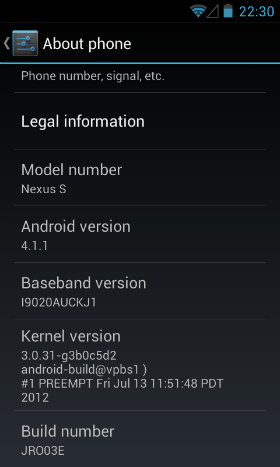
I just upgraded my Nexus S to Jelly Bean over-the-air (OTA). It only took about 4 hours to figure it all out.
I had already upgraded to ICS 4.0.4 the manual way (since OTA never came for me), but that simply did not work with Jelly Bean. I found this XDA thread which led me to try to get the update OTA. A few tweaks later I was able to successfully download the package, unfortunately it never let me install it. So close, yet so far…
A few more unsuccessful tweaks, and then it hit me…
Here is how I did, step-by-step.
- Power off.
- Remove the SIM.
- Power on.
- Turn on Wi-Fi and connect to your network (if not connected already).
- Go to the System settings.
- In Language & input change the language to English (United Kingdom).
- In Apps select the ALL tab.
- Find and open the Google Services Framework.
- Tap on the Clear data button and confirm.
- Reboot.
- Go to the System settings.
- Select About phone.
- Select Software update.
- The package should be downloading, wait…
- Once the package is verified, you'll be offered an option to restart and install. Don't!
- Turn Airplane mode on by pressing and holding the Power button.
- Now, select the Restart & Install button.
That's all folks!